100+ Ready Templates
Pick from a huge library of pre-built animations — clocks, icons, scrolling text, waveforms, and more. Flash in one tap.
Create pixel-perfect animations for your OLED display. 100+ templates, GIF import, pixel editor — preview live over WiFi.
From quick templates to frame-by-frame animation — all in one free tool.
Pick from a huge library of pre-built animations — clocks, icons, scrolling text, waveforms, and more. Flash in one tap.
Draw pixel-by-pixel on a 0.96" OLED. Tools include pencil, eraser, fill, shapes, text, and multi-frame timeline.
See your animation on real hardware instantly — no USB cable needed. Just connect your ESP to the same WiFi network.
Upload any GIF or image and it converts automatically to OLED-ready bitmap frames. Resize, dither, and fine-tune.
Push your animation to the WitBlox display over WiFi. See it play on real hardware in one tap.
Use the Android app on the go or open the web version on any browser. All your work syncs locally — no account needed.
Choose from 100+ templates or draw your own animation frame-by-frame in the pixel editor.
Tap "Send to OLED" and see your animation play on real hardware over WiFi — instant feedback.
Tap send and watch it play on your WitBlox display over WiFi. Done.
Playing frame 12 / 24
WiFi connected
0.96" · 15 FPS
Sent to OLED
A clean, distraction-free interface built specifically for OLED animation workflows — fast, offline-capable, and works on any screen size.
Download the Android app or open directly in your browser. 100% free with no ads.
Android 6.0+ · Works on any modern browser
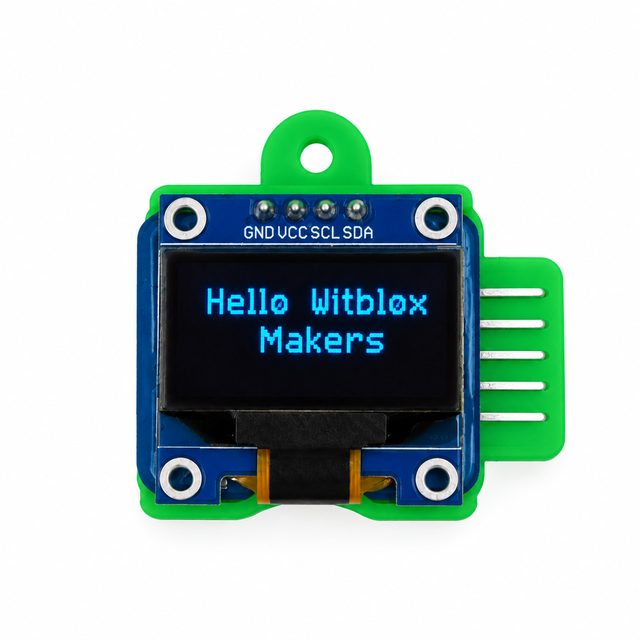
Download WitBlox Oled Animate, or shop the WitBlox display to play animations live.
Download App Shop WitBlox Display